Not all image formats are created equal. In the early days of the web, the choice was simple: JPG for photos, GIF for tiny animations. Today, the landscape is far more complex. Choosing the wrong format can lead to a blurry logo, a website that takes 10 seconds to load, or a file that's too big to email. Understanding the "Big Three"—JPG, PNG, and WebP—is fundamental for anyone working online.
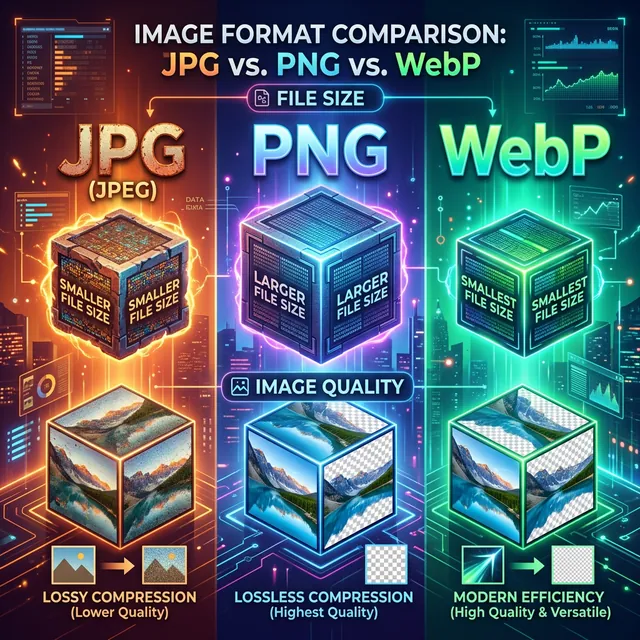
JPEG (Joint Photographic Experts Group): The Old Reliable
JPG is the most common image format in the world. It uses "Lossy" compression, which means it permanently throws away some data to keep file sizes small. This makes it perfect for photographs with millions of colors where the human eye won't notice a slight loss in detail.
- Best For: Complex photographs, social media posts, email attachments.
- Weakness: No transparency support. Text or sharp graphics can look "fuzzy."
PNG (Portable Network Graphics): The Quality Expert
PNG was designed as a replacement for GIF. It uses "Lossless" compression, meaning it keeps 100% of the original data. Crucially, it supports an "alpha channel"—transparent backgrounds. This is why almost every logo you see on the web is a PNG.
- Best For: Logos, icons, screenshots with text, images requiring transparency.
- Weakness: File sizes can be massive for photographs. A 2MB PNG photo could be a 200KB JPG.
WebP: The Modern Challenger
WebP is Google's attempt to kill both JPG and PNG. It supports both lossy and lossless compression AND transparency. It is the most efficient format for the modern web, often 30% smaller than a JPG of the same visual quality. Today, 95%+ of browsers support it, making it the new standard.
- Best For: Everything on the web. It is the "One Format to Rule Them All."
- Weakness: Might not be supported in very old legacy systems or some specific industrial software.
How to Make the Switch
Don't be afraid to convert your library. Using iLoveToolHub's "Image Converter," you can take your bulky PNG screenshots and turn them into lean WebP files in bulk. Because we don't upload your files, you can process thousands of images without hitting a data cap or compromising your private photos.
The "Resolution" Myth
Many people think higher resolution always means "better." But if you're uploading a 4000px wide photo to a blog that only displays at 800px, you're just wasting bandwidth and slowing down your site. Use our "Image Resizer" in conjunction with our "Image Converter" to get the dimensions right before you pick the format.
Summary Table
| Format | Transparency | Compression Type | Best Use |
|---|---|---|---|
| JPG | No | Lossy | Photos |
| PNG | Yes | Lossless | Logos/Graphics |
| WebP | Yes | Both | Web Optimization |
Final Conclusion
Knowledge of image formats is a secret superpower in digital marketing and web design. By choosing the right format at the start of your project, you ensure a faster, cleaner, and more professional result. Use iLoveToolHub to swap between these formats instantly and securely.