Is iLoveToolHub really 100% free?
Yes. Every tool on iLoveToolHub is completely free to use with no daily limits, no watermarks, and no mandatory sign-up. We sustain the platform through non-intrusive advertisements.
Compress images to 50KB, convert JPG to PDF, resize for official applications, and merge PDF files — all 100% in your browser. Fast, free, and private.
Convert audio files between MP3, WAV, OGG, and WEBM. 100% private and browser-based.
Record your screen, camera, and microphone directly to MP4/WebM files. No software needed.
Extract high-quality audio from any video file instantly. 100% private and browser-based.
Convert between JPG, PNG, WEBP, SVG, GIF, BMP, TIFF, ICO — any format to any format.
Reduce image file size up to 90% without visible quality loss. Supports batch files.
Convert to official passport size for US, UK, India, EU, China and more.
Resize images for Instagram, YouTube, LinkedIn or custom dimensions.
Combine multiple images into a single PDF. Choose page size and orientation.
Join two or more PDF files into a single document. Reorder pages instantly.
Extract specific pages or ranges from your PDF into a brand new document instantly.
Convert PDF pages into high-quality JPG or PNG images. DPI adjustment supported.
Reduce PDF file size without losing text quality. Optimized for web and email sharing.
Visually rearrange, extract, and rotate pages with full drag-and-drop support.
Convert any raw HTML and CSS code instantly into a perfectly rendered PDF document.
Delete unwanted pages from your document visually. Secure and completely local.
Lock your sensitive PDFs with an AES encrypted password. 100% locally in your browser.
Insert page numbers into PDFs locally. Choose positions and formats like "Page 1 of 5".
Stamp text watermarks across all PDF pages. Choose position, rotation, and opacity.
Draw your signature and stamp it on PDF documents purely in your browser. 100% Secure.
Extract text from images & scanned PDFs instantly. 100% private and accurate.
Encode and decode text, images, or any file to Base64 instantly. Perfect for developers and designers.
Beautify, validate, and minify your JSON data with ease.
Paste React, NextJS, or HTML code to instantly find accessibility errors.
Minify CSS, JavaScript, and HTML code. Reduce file size up to 60%.
Verify color contrast pairs against WCAG AA and AAA accessibility standards.
Generate high-entropy keys for JWT, Auth, and Encryption.
Safely encode or decode URL parameters and special characters.
Convert seamlessly between PX, REM, EM, %, PT, VW and VH with custom root bases.
Decode and inspect JSON Web Tokens locally without sending them to any server.
Compare two text blocks to find and highlight line-by-line or word-by-word differences.
Generate professional QR codes with custom colors and logos for print.
Create ultra-secure, random passwords with custom settings.
Convert Length, Weight, and Temp units instantly.
Global conversion between Percentage, CGPA, GPA 4.0, and Bavarian German grades.
Calculate accurate Body Mass Index, healthy weight ranges, and Ponderal Index.
Calculate loan EMIs with detailed principal vs interest breakdowns and charts.
Getting started with iLoveToolHub is incredibly simple. We've designed our platform to eliminate friction so you can focus on your tasks without technical hurdles.
Browse our comprehensive library of over 37 specialized utilities categorized into Image, PDF, Developer, and general Utilities. Click on the tool that perfectly matches your current need.
Drag and drop your files directly into the browser window or use the simple file selector. Remember, your files are never uploaded to the cloud—they remain strictly on your local device.
Adjust your desired settings, such as compression level or output format. Our WebAssembly engine processes your request instantly using your device's hardware, providing real-time feedback.
Once the processing is complete, save your new file back to your device with a single click. No accounts to create, no email addresses required, and no hidden watermarks on your work.
Your privacy is our top priority. Unlike traditional online tools that upload your sensitive documents to remote servers, iLoveToolHub processes everything entirely within your browser. This means zero risk of data leaks, no storage of your files, and complete peace of mind, especially when handling confidential or personal information.
Experience desktop-class speed without leaving your browser. By leveraging cutting-edge WebAssembly (WASM) technology, our tools bypass the slow upload and download times associated with cloud-based services. Your tasks, whether it's compressing images or merging PDFs, are executed instantly using your device's own processing power.
We believe that powerful digital utilities should be accessible to everyone. iLoveToolHub is 100% free to use. There are no hidden subscription fees, no premium paywalls, no daily usage limits, and absolutely no watermarks added to your exported files. Enjoy unrestricted access to our full suite of tools forever.
Whether you are on a high-end desktop workstation, a lightweight laptop, a tablet, or a mobile smartphone, our platform adapts seamlessly. The fully responsive design ensures that you have access to a clean, intuitive, and highly functional user interface, allowing you to get work done efficiently from absolutely anywhere.
Quality should never be compromised for convenience. We utilize advanced AI models and precise algorithms to ensure that the output you receive is of professional grade. From smart image compression that preserves clarity to highly accurate OCR text extraction, you can trust iLoveToolHub for impeccable results every single time.
Say goodbye to bloated software and tedious installation processes. iLoveToolHub operates directly in your favorite web browser—be it Chrome, Firefox, Safari, or Edge. There are no plugins to download, no software to update, and no accounts to register. Simply open the website and start using the tools instantly.
Our diverse suite of tools is trusted by millions of users across various professions. Whether for business, education, or personal use, iLoveToolHub simplifies digital tasks.
Perfect for compressing heavy assignment PDFs, converting lecture images into readable documents, and accurately calculating academic grades like CGPA to GPA. Free, fast, and accessible on campus Wi-Fi.
Essential for everyday coding tasks like minifying CSS/JS, converting assets to next-gen WebP formats, checking WCAG color contrast, and safely decoding Base64 or JWT tokens locally without exposing sensitive data.
Ideal for merging multiple financial reports, splitting large legal contracts, adding professional watermarks to proposals, and securing confidential PDFs with robust AES-256 password encryption before emailing.
The ultimate toolkit for resizing images for various social media platforms, compressing thumbnails for faster website loading, recording quick screen tutorials, and generating custom branded QR codes for marketing campaigns.
iLoveToolHub is the premier free online suite for all your digital utility needs. Whether you are looking to convert image formats, combine multiple images into a PDF, extract text using high-accuracy OCR, or generate official passport photos—every single tool runs directly in your web browser. We have carefully engineered a platform that eliminates the need for expensive software subscriptions and cumbersome desktop installations.
We believe in privacy and performance above all else. By utilizing advanced client-side processing technologies like WebAssembly (WASM) and modern JavaScript APIs, iLoveToolHub ensures that your files never leave your device. When you compress a sensitive document or edit a personal photo, the data is processed locally in your RAM. It’s fast, incredibly secure, and completely free to use without any mandatory signup, hidden fees, or intrusive watermarks on your final files.
Our comprehensive Image Tools section empowers users to manipulate visual media with ease. From smart compression that drastically reduces file size without losing visible quality, to our versatile image converter that supports a multitude of formats including Next-Gen WebP, we provide everything needed for web optimization and personal use. Additionally, our specialized tools like the Passport Photo maker allow you to prepare official documents from the comfort of your home, ensuring compliance with international sizing standards.
For document management, our PDF Tools suite offers unparalleled flexibility and security. You can merge disparate reports, split lengthy contracts, extract specific pages, or convert HTML to PDF effortlessly. More importantly, we provide robust security features, allowing you to password-protect sensitive files or digitally sign them right in your browser. This makes iLoveToolHub an indispensable resource for legal, financial, and business professionals who handle confidential information daily.
Developers and designers will also find a robust set of Dev Tools tailored to streamline their workflows. Validate HTML for WCAG accessibility compliance, minify code for production environments, convert between CSS units, and debug JSON or JWT tokens safely. By integrating these technical utilities alongside our media and document tools, iLoveToolHub stands as a comprehensive, all-in-one ecosystem designed to boost productivity and maintain complete data sovereignty.
Yes. Every tool on iLoveToolHub is completely free to use with no daily limits, no watermarks, and no mandatory sign-up. We sustain the platform through non-intrusive advertisements.
No. Every single tool on iLoveToolHub processes your data entirely within your web browser using client-side JavaScript and WebAssembly. Your images, PDFs, code, and documents never leave your device. This makes it safe for sensitive files like government IDs, bank statements, and source code.
Open our Image Compressor tool and upload your image. Use the "Target Max Size" slider to set your exact limit (e.g., 50KB for SSC forms or 100KB for UPSC). The tool will automatically adjust quality to stay under your limit while preserving maximum visual clarity.
Yes! Our Image to PDF tool lets you upload multiple JPG, PNG, or WEBP images, reorder them with drag-and-drop, choose page size (A4, Letter, Auto), and merge them into a single high-quality PDF — all processed locally in your browser.
Yes. Our Smart OCR Scanner supports 100+ languages including Hindi, English, Spanish, French, German, Chinese, Japanese, Arabic, and many more. It uses the Tesseract.js engine running entirely in your browser for maximum privacy.
Use our Passport Photo Maker to upload a portrait, select your country format (US 2×2 in, UK/India 35×45 mm, etc.), position your face using the drag-and-zoom controls, and download. You can even generate a 4×6 inch print sheet with multiple copies to print at home or a local kiosk.
Yes. Our PDF Merge tool lets you upload multiple PDFs, reorder them, and combine them into a single document. The original quality, fonts, and images are fully preserved since the merge happens at the byte-stream level.
Absolutely. The Diff Checker uses the fast-myers-diff algorithm running 100% in your browser. Your source code is never sent to any server. It supports line-by-line, word-by-word, and character-level comparison with file upload support.
iLoveToolHub works on all modern browsers including Chrome, Firefox, Safari, Edge, and Opera on desktop, tablet, and mobile devices. No app installation is required — just open your browser and start using any tool instantly.
Unlike most online tools that upload your files to cloud servers for processing, iLoveToolHub processes everything locally in your browser. This means zero data leaks, faster processing, no file size quotas, and complete privacy — even on public Wi-Fi networks.
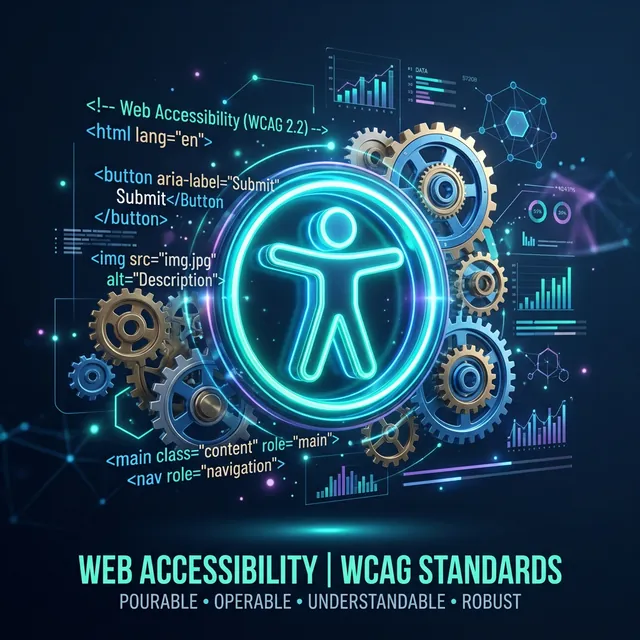
Building an inclusive web is a moral and legal necessity. Learn how to audit and fix your HTML for WCAG 2.1 standards.

Most online tools upload your data to their servers. Learn why iLoveToolHub keeps your files strictly on your device.
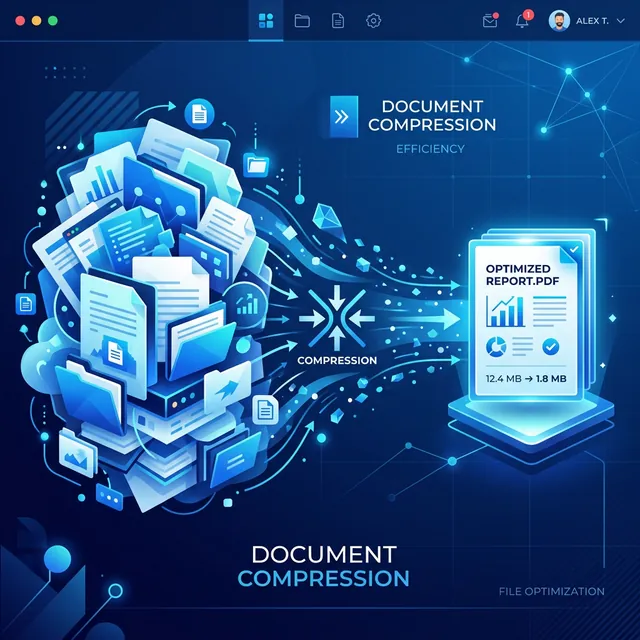
Shrink your documents to 100KB or 200KB while keeping text crisp and searchable using our advanced resampling logic.